EU PDF · Features
What moves work forward.
Edit PDFs and check the result before sharing.
01 · Feature in focus
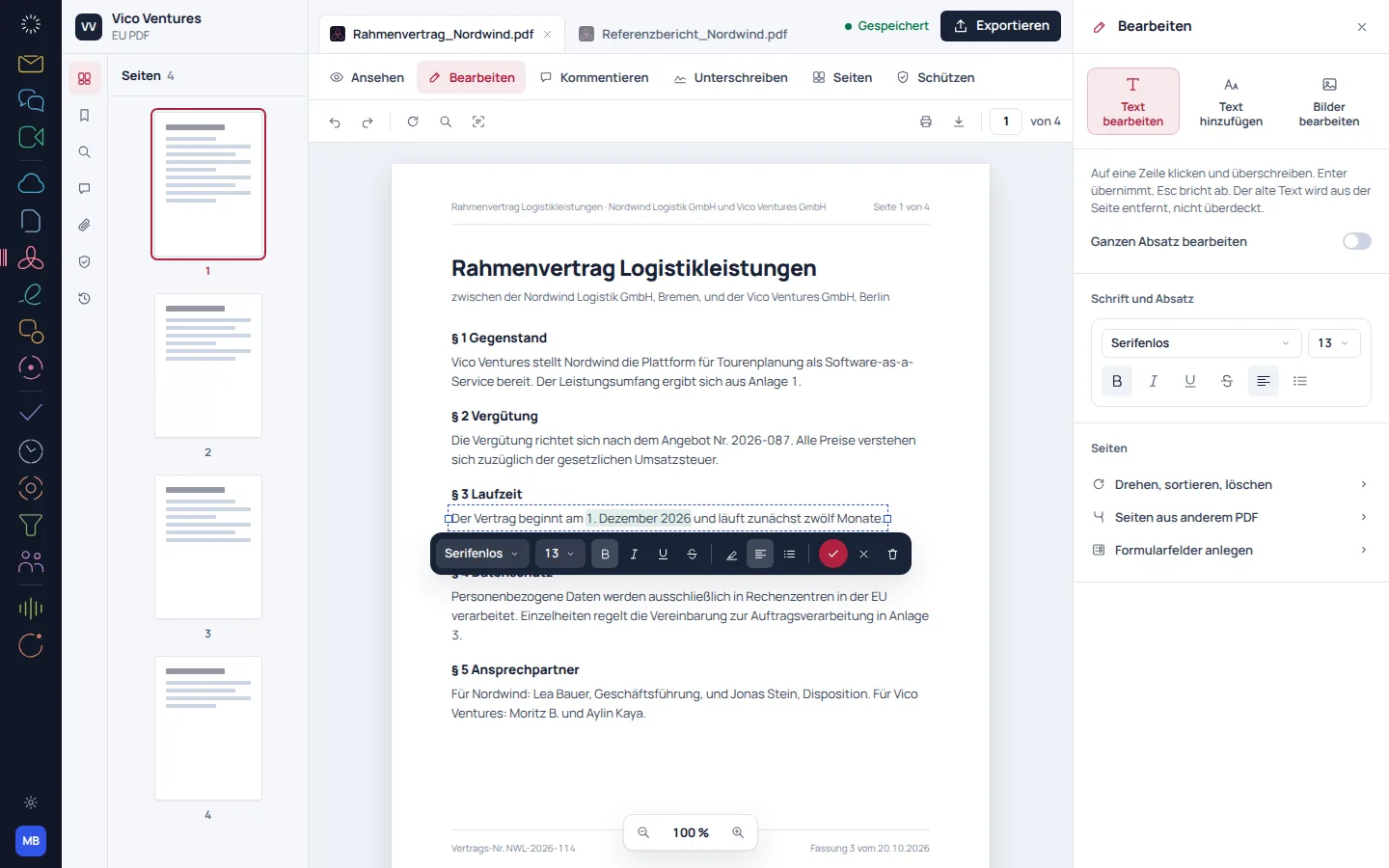
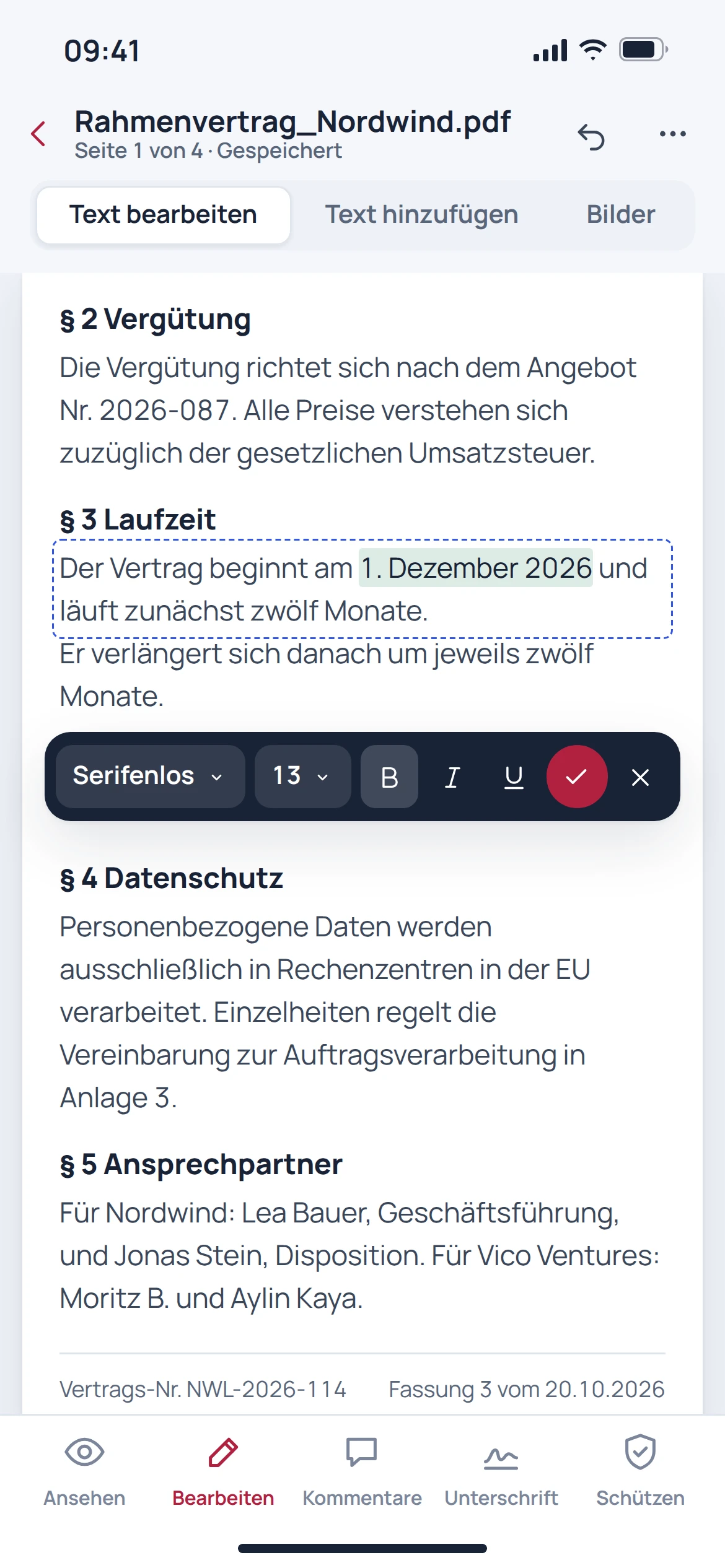
Corrections belong directly in the document.
Edit existing text and rearrange pages without opening a different tool for every step. The page overview helps you review longer documents in context.
- Edit text in the file
- Organise and assemble pages
- Check the result in the page overview
02 · Feature in focus
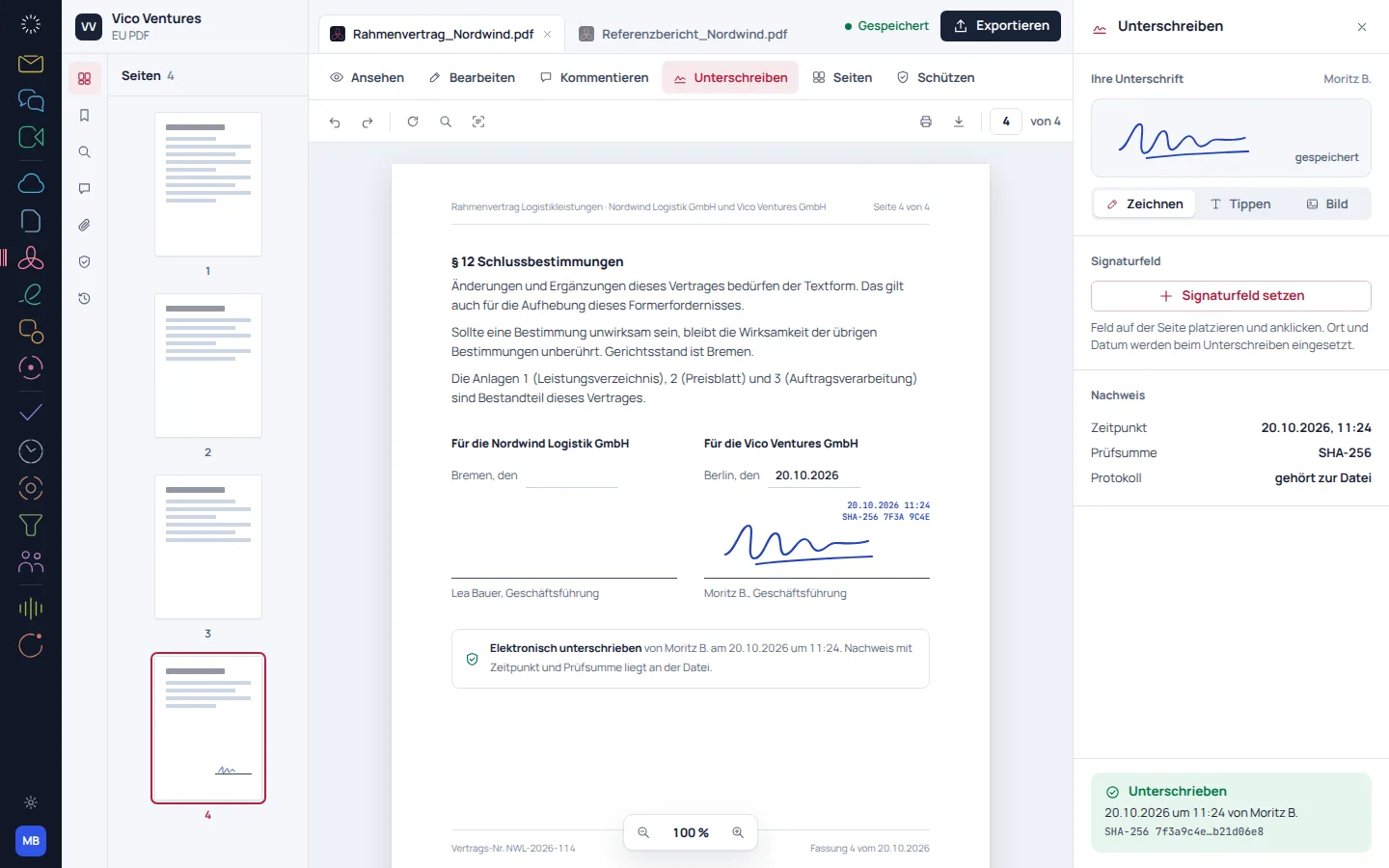
From form to finished version.
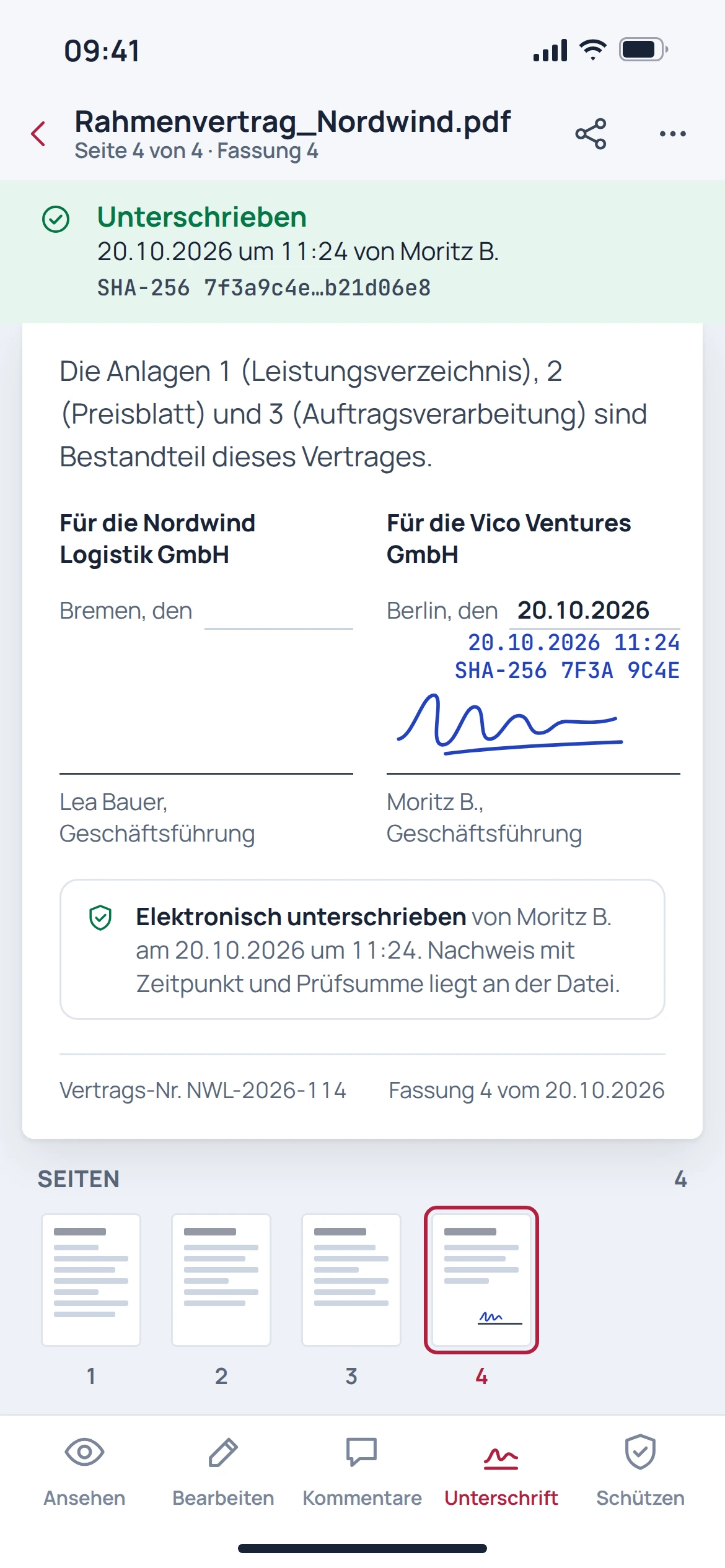
Fill in forms and place a drawn signature in the appropriate position. The process shown describes a visible signature, not an automatically qualified electronic signature.
- Fill in form fields
- Draw and place a signature
- Check the date and the exported version
03 · Feature in focus
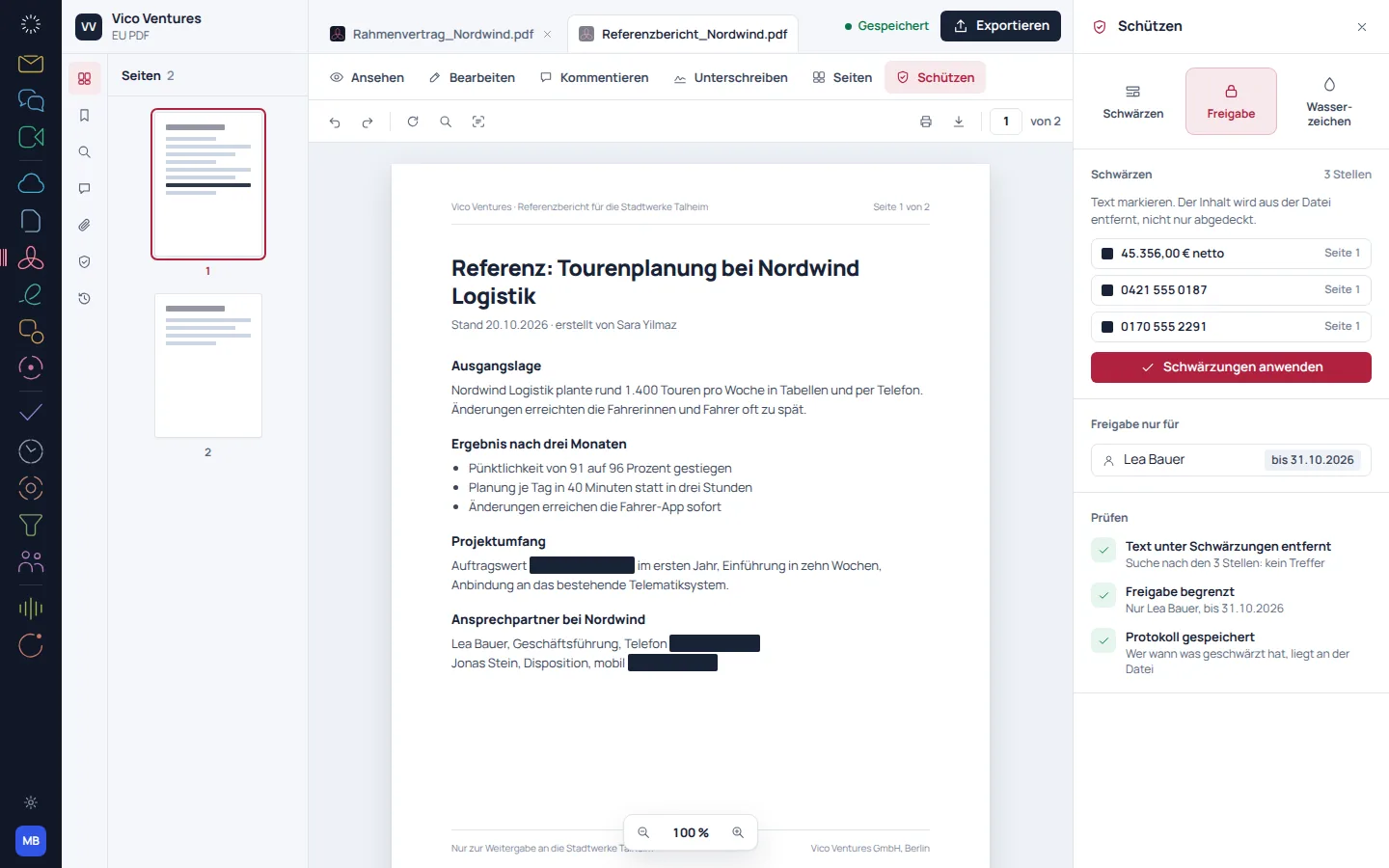
Remove confidential information before sharing.
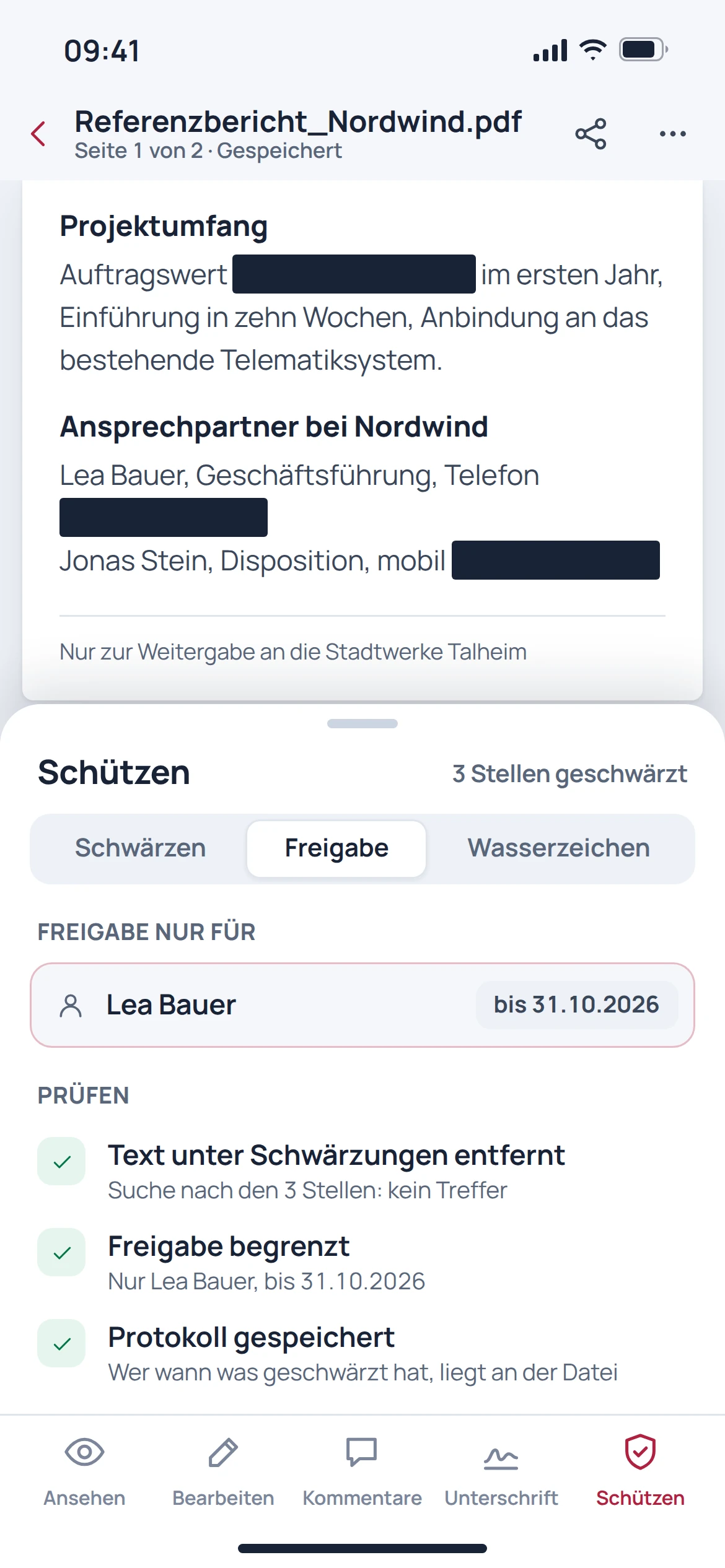
Redaction is more than a dark rectangle. The process described removes marked content; the exported file should then be specifically checked for text, searchability and any remaining information.
- Mark content for removal
- Apply redaction carefully
- Check the exported file again
Before getting started
Good to know.
Is a drawn signature a qualified signature?
No. A visible drawing alone is not a qualified electronic signature. Special signature requirements call for a suitable process.
Is a black rectangle enough to redact something?
No. Confidential content must actually be removed. The output file should then be checked again.
Do I need to move my existing file storage?
This is not necessary for working with existing PDF files. Automatic storage connections and provider migrations are separate features.
Does every PDF come out unchanged after editing?
Pixel-perfect editing is not guaranteed for arbitrary PDFs. Pay particular attention to special fonts, forms and files that have already been signed.